Use ordinary photos
Start with a JPG from your camera or phone, including pictures with a background.
JPG to sticker
StickerSplit turns JPG photos into transparent stickers for people making personal photo cutouts, with free generation and previews. Sign up for 1 free credit; each downloaded image uses 1 credit.
Start with an everyday JPG and keep only the person, pet, product, or object you want. Add a crisp outline and download a transparent result.
Your sticker studio
One photo, separate stickers
This sample becomes five automatic cutouts. Each sticker is a separate transparent PNG, shown here with a purple border.


Person
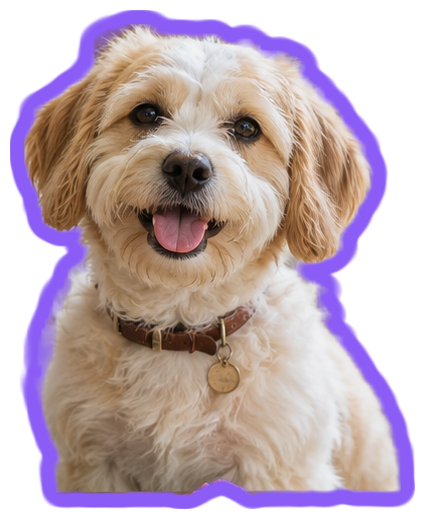
Dog
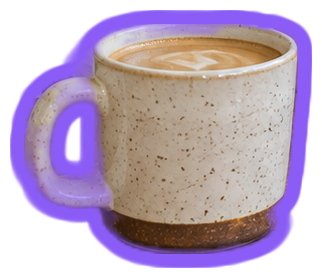
Coffee cup
Plant
Hanging plant
Keep them all
Individual files or one ZIP
Start with a JPG from your camera or phone, including pictures with a background.
Review the people, pets, and objects found in your photo, then save the results you want.
Download PNG so the original rectangular background disappears when you place the sticker on a page.
Choose a photo from your phone, camera, or computer.
Keep your favorite subjects or use the manual selection to add another cutout.
Choose your border color and thickness, then save the image or full set.
JPG to sticker
PNG supports a transparent background, so you can place the sticker over a design without the original photo rectangle. WebP is also available for 512px chat stickers.
Yes. The tool can find several people automatically. To add another person, choose them in the original photo and select Create sticker.
Yes. Choose Download all to save one ZIP containing your finished stickers as separate PNG or WebP files. The ZIP uses 1 credit per image inside, and the total is shown before downloading.
Yes. Change Border thickness or Border color and all your sticker previews update immediately. Downloads keep the style you see. Set thickness to 0 for a cutout without a border.
JPG to sticker conversion and previews are free without signing up. Downloads require an account and cost 1 credit per image, individually or inside a ZIP. New accounts receive 1 free credit.
JPG and JPEG photos both work in the sticker maker. PNG and WebP images are also accepted.
Each JPG photo can be up to 25 MB. You can add one photo or select several photos together.
The tool automatically finds common subjects in your JPG and creates separate cutouts without the surrounding scene. Review the results and keep the stickers you want.
Choose an object yourself to select another subject in the original JPG. Click inside it, review the preview, and select Create sticker.
Try High quality in Quality, then choose Find stickers again for another cutout of the photo. Manual selection also lets you include or exclude areas while checking the preview.
JPG photos are processed in your browser on your device. The cutout process does not upload your photo files to a server.